|
|

|
|
(or click here for Windows Media Player version)
|
MotionView - Video Analysis Software for Analyzing Baseball and Softball Hitting Mechanics
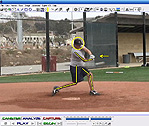
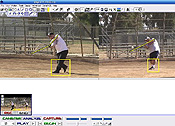
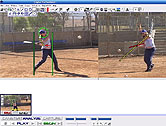
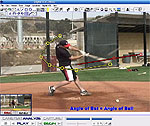
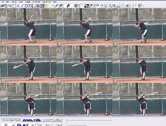
While remaining easy to use, the powerful motion analysis capabilities will turn your PC or laptop into a high-tech video analysis coaching system! MotionView is video motion analysis software capable of dual camera video capture, with up to eight synchronized video players, drawing tools, video coaching, recording and playback automation. MotionView is designed for individuals, coaches, and professionals working with video for analysis of hitting, pitching, fielding and other sports.
The software supports video capture from many types of camcorders and devices, and also performs automatic video conversion from virtually all file formats, so you can analyze sports videos from camcorders, digital still shot cameras, memory sticks (and even Iphones, Andriod and tablets with a separately available Wifi Video Grabber software). Once you have the footage captured, use the easy motion analysis software drawing tools and video comparison features to analyze the action in many different ways, including creating personalized voice over lessons of your swing review (with Elite Edition).
To order the Complete Program with the BatSpeed.com Edition of MotionView! and the Swing Analysis Instructional DVD, please take advantage of our package deals for extra savings.
|
|
|
 |
 |
 |
 |
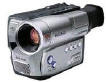
| Camcorders |
Smartphones
|
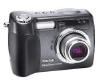
Digital still-shot cameras |
GifE & USB Cameras
|
|
MotionView can capture video from any video camcorder or capture device supported and recognized by Windows (Macs click here), and MotionView can convert video into AVI format from most camcorders that record in other formats (including DVD, hard drive, MPEG, and other formats are now supported). With MotionView, conversion devices are generally not needed.
|
|
|
|
MotionView! is available in two editions: BASIC EDITION and ELITE EDITION (aka Digital VCR). The Basic Edition is great for home enthusiasts or beginning coaches with single camera capture up to 60 frames per second, dual (side by side) video analysis. The Elite Edition is the ultimate training tool that can simultaneously capture video from 2 cameras at up to 500 frames per second while allowing you to analyze 8 player screens at the same time, and you can create Hi Def audio and video commentary for you players to review your analysis on CDROM, USB or Online via file sharing. See the chart below to compare the editions or click on the links to the left for a full description of the features. Whether you are a player, parent or coach wanting to improve your game or the game you coach, or if you want to study the swing of professional hitters and compare them side by side to another player, we have a video analysis software edition to meet your objectives.
 |
 |
 |
| Split Screen |
Quad Screen video sequencing
|
Up to 8 synchronized videos |
Extensive Drawing Tools
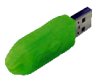
USB Key - Optional with Elite Edition
|
Without the USB Key, MotionView includes one license to download on one computer. With the optional USB key, you can access the software on any computer. Just plug it in and the software will run on any computer. Keys can be reprogrammed remotely if you decide to upgrade your license later. The USB Key also eliminates the need to activate the software by email/website!
NOTE: USB Keys cannot be replaced without purchasing a new software license and key. In the unlikely event the USB Key ever becomes inoperable, it will be replaced by MotionView.
|
MotionView Accessories:
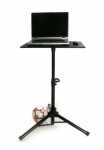
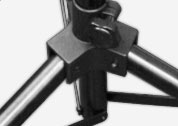
Ultra Laptop Tripod
 | 
|
Price: (No longer available)
Worlds sturdiest portable laptop tripod with standard 16"x20" table! Compute on the go with our incredibly sturdy tripod featuring 1.5" tubing, heavy duty hardware, and our standard 16"x20" poly table. Ultimate adjustability for sitting or standing (28"-46"), with ample space for both your laptop and mouse. This is our most stable and rugged tripod, ideally suited for outdoor, windy, or crowded applications where maximum stability is vital. Weighs 12 lbs and can accept any of our tripod options.
|
|
Feature Comparison Table |
BASIC
EDITION |
ELITE EDITION |
| |
|
|
2 Synchonized Video Players |
√ |
√ |
|
Video Capture |
√ |
√ |
|
Drawing Tools |
√ |
√ |
|
Angle Measurement Tool |
√ |
√ |
|
Slow Motion/Reverse Motion/AutoReverse Motion Playback |
√ |
√ |
|
Side-by-Side Video Comparisons |
√ |
√ |
|
Frames Per Second Capture Speed |
60FPS |
500FPS |
|
Video Overlay |
√ |
√ |
|
Video Export and Trimming |
√ |
√ |
|
USB Key for Unlimited Activations on Any Computer |
|
Optional |
|
8 Synchonized Video Players |
|
√ |
|
Dual Camera Capture, Expandable to 8 Cameras |
|
√ |
|
Integrated Video File Manager with Search |
|
√ |
|
Thumbnail Shortcuts with Forward/Backward History |
|
√ |
|
Distance and Speed Measurement |
|
√ |
|
Automatic Video File Conversion |
|
√ |
|
Magic Mirror Mode (Draw on top of live video) |
|
√ |
|
Automatic Hands-Free Coaching Features |
|
√ |
|
Supports free online file sharing via Dropbox, Google Drive, Skydrive |
|
√ |
|
Hi Definition Wide Screen Video Commentaries including your face captured via webcam as a PIP |
|
√ |
|
8 Simultaneous Microplayers for Video Analysis |
|
√ |
|
Realtime Audio and Voice Over Recordings of your sessions. Everything you say and do becomes a new video lesson movie file that you can burn to CD or email. (Microphone not included.) |
|
√ |
|
Deliver your HD Video Commentaries on CDROM, USB Memory stick, or online file sharing |
|
√ |
|
Undockable Microplayers for Unlimited Screen Layouts |
|
√ |
|
|
Read More |
Read More |
|
Activation for One Computer |
|
|
|
Perpetual USB Key for Activation on any Computer |
|
|
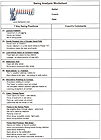 |
Both BatSpeed.com editions include clips of the key positions and common flaws and a worksheet for swing analysis, available exclusively from BatSpeed.com. |
|
|
 | - |
|
|
|
|


![[ About ]](images/home-left-1.gif)

![[ Batspeed Research ]](images/home-left-2.gif)

![[ Swing Mechanics ]](images/home-left-3.gif)
![[ Truisms and Fallacies ]](images/home-left-4.gif)
![[ Discussion Board ]](images/home-left-5.gif)
![[ Video ]](images/home-left-6.gif)
![[ Other Resources ]](images/home-left-7.gif)
![[ Contact Us ]](images/home-left-8.gif)